The Clair Obscur: Expedition 33 control layout and button mapping for PlayStation, Xbox, and PC controllers are detailed below. Expedition 33 blends turn-based combat with real-time inputs, exploration, and party management, making its hybrid control scheme essential to master for both combat efficiency and world navigation.
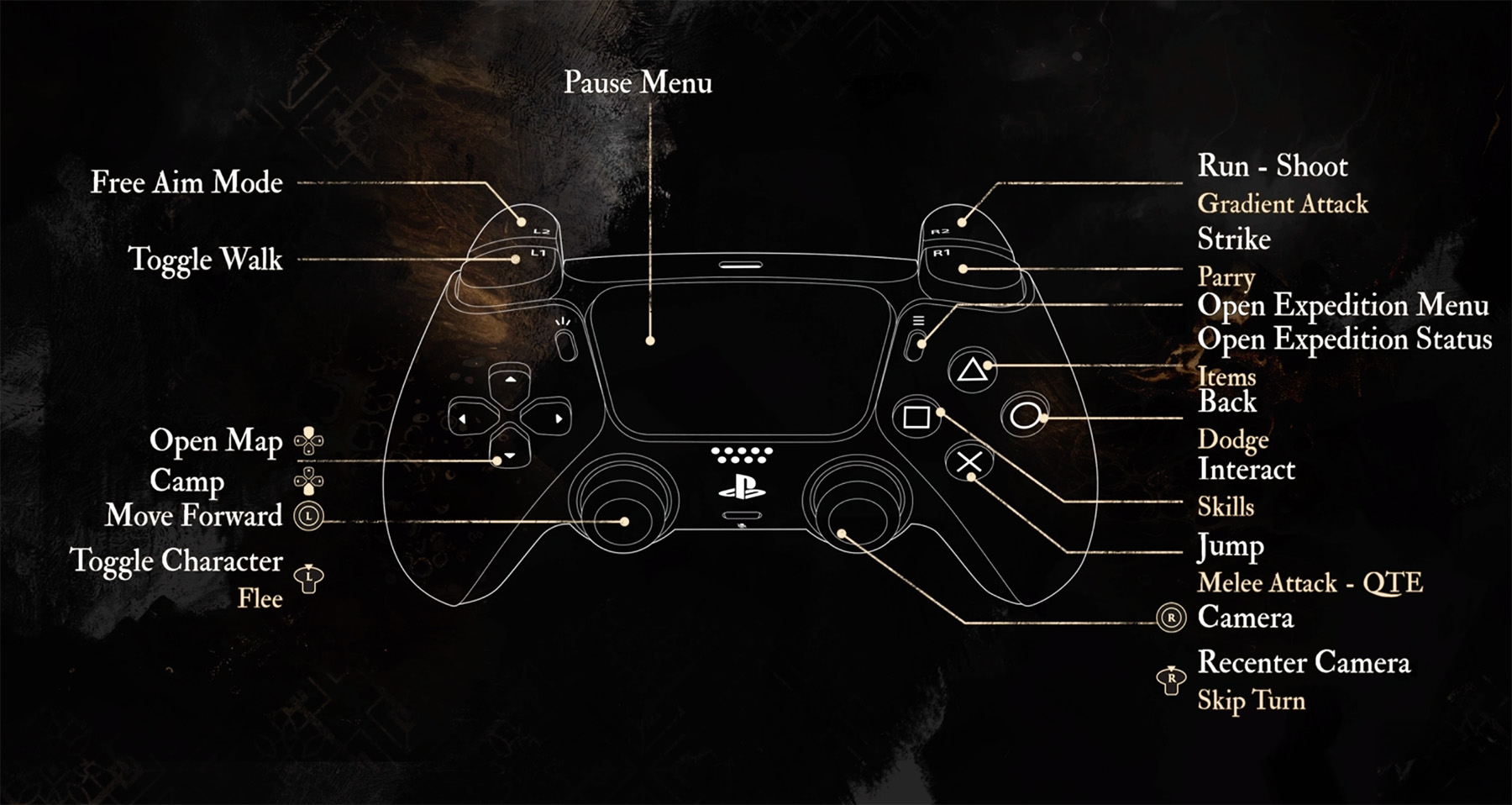
Clair Obscur: Expedition 33 Controls
| Action | PlayStation | Xbox / PC |
|---|---|---|
| Move Forward | Left Stick | Left Stick |
| Camera | Right Stick | Right Stick |
| Free Aim Mode | L2 | LT |
| Toggle Walk | L1 | LB |
| Run / Shoot | R2 | RT |
| Strike / Gradient Attack | R1 | RB |
| Parry | Triangle | Y |
| Dodge | Circle | B |
| Interact | X | A |
| Jump | X (Hold) | A (Hold) |
| Melee Attack / QTE | Square | X |
| Skills | X | A |
| Open Expedition Menu | Options | Menu |
| Open Expedition Status | Triangle (Hold) | Y (Hold) |
| Items | Square (Hold) | X (Hold) |
| Back | Circle | B |
| Open Map / Camp | D-Pad | D-Pad |
| Toggle Character / Flee | L3 | LS |
| Recenter Camera / Skip Turn | R3 | RS |
Comments
No comments yet. Be the first to share your thoughts!