Sky: Children of the Light controls and buttons layout afor Playstation 4, Playstation 5, Xbox One, Xbox Series X/S and PC Windows controllers.
Sky: Children of the Light is a visually stunning, multiplayer adventure game developed by thatgamecompany. It is available on mobile devices and allows players to explore a magical kingdom in the clouds, solve puzzles, and interact with other players from around the world. The game's immersive world and emphasis on collaboration and compassion make it a unique and unforgettable gaming experience.
See also: Sky: Children of the Light Gameplay Tips and Guide
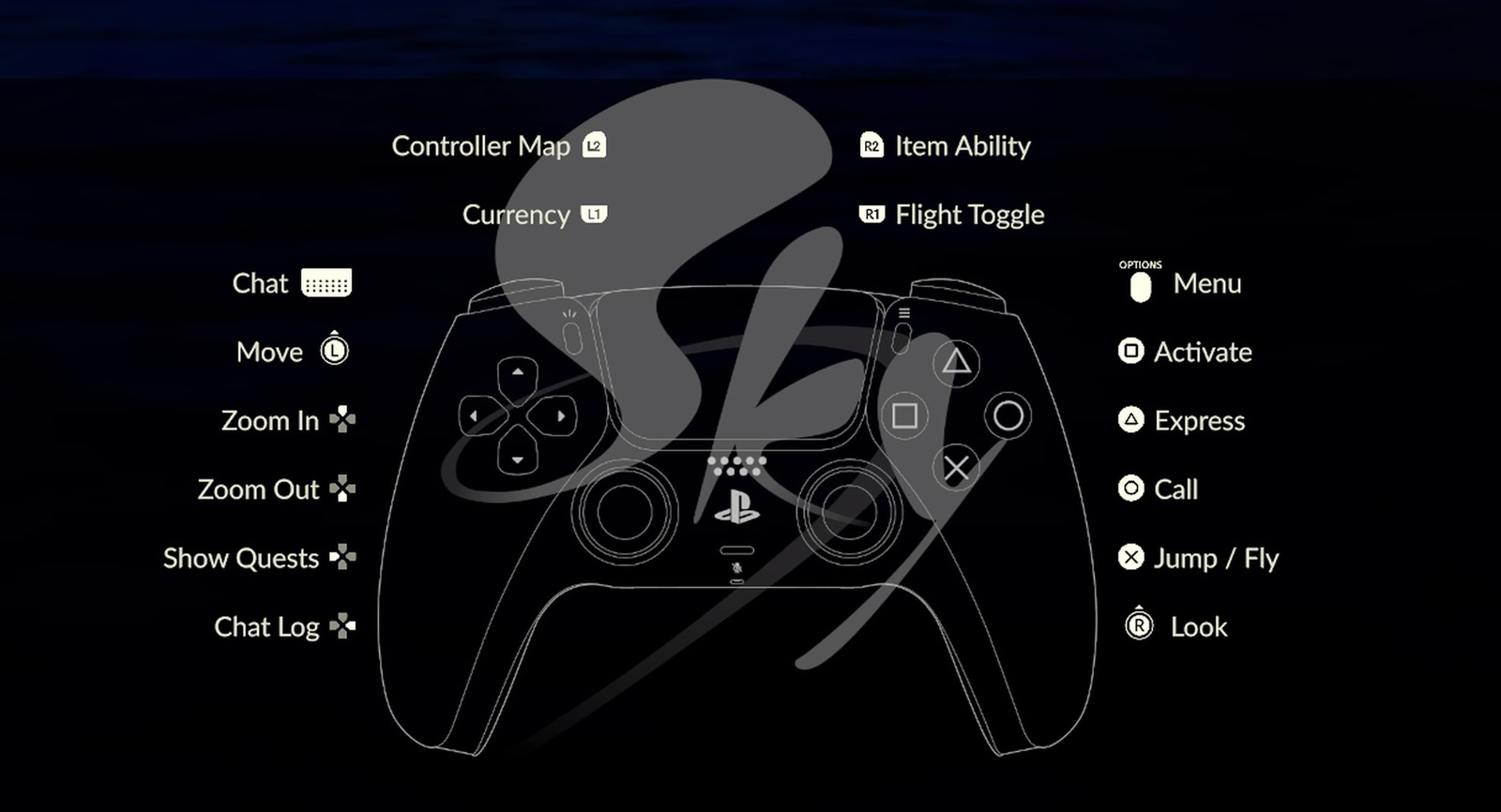
Controls
| Action | PlayStation | Xbox One / PC |
|---|---|---|
| Move | L | L |
| Look | R | R | Jump / Fly | X | A |
| Call | Circle | B |
| Activate | Square | X |
| Express | Triangle | Y |
| Flight Toggle | R1 | RB |
| Item Ability | R2 | RT |
| Currency | L1 | LB |
| Controller Map | L2 | LT |
| Zoom In | D-Pad Up | D-Pad Up |
| Zoom Out | D-Pad Down | D-Pad Down |
| Show Quests | D-Pad Left | D-Pad Left |
| Chat Log | D-Pad Right | D-Pad Right |
| Chat | Trackpad | Trackpad |
| Pause | Options | Menu |
Comments
No comments yet. Be the first to share your thoughts!