PowerWash Simulator control layout and default button mapping for PlayStation, Xbox, and PC controllers are shown below. PowerWash Simulator is a relaxing first-person simulation game where players clean vehicles, buildings, and environments using a range of power washing tools and nozzles.
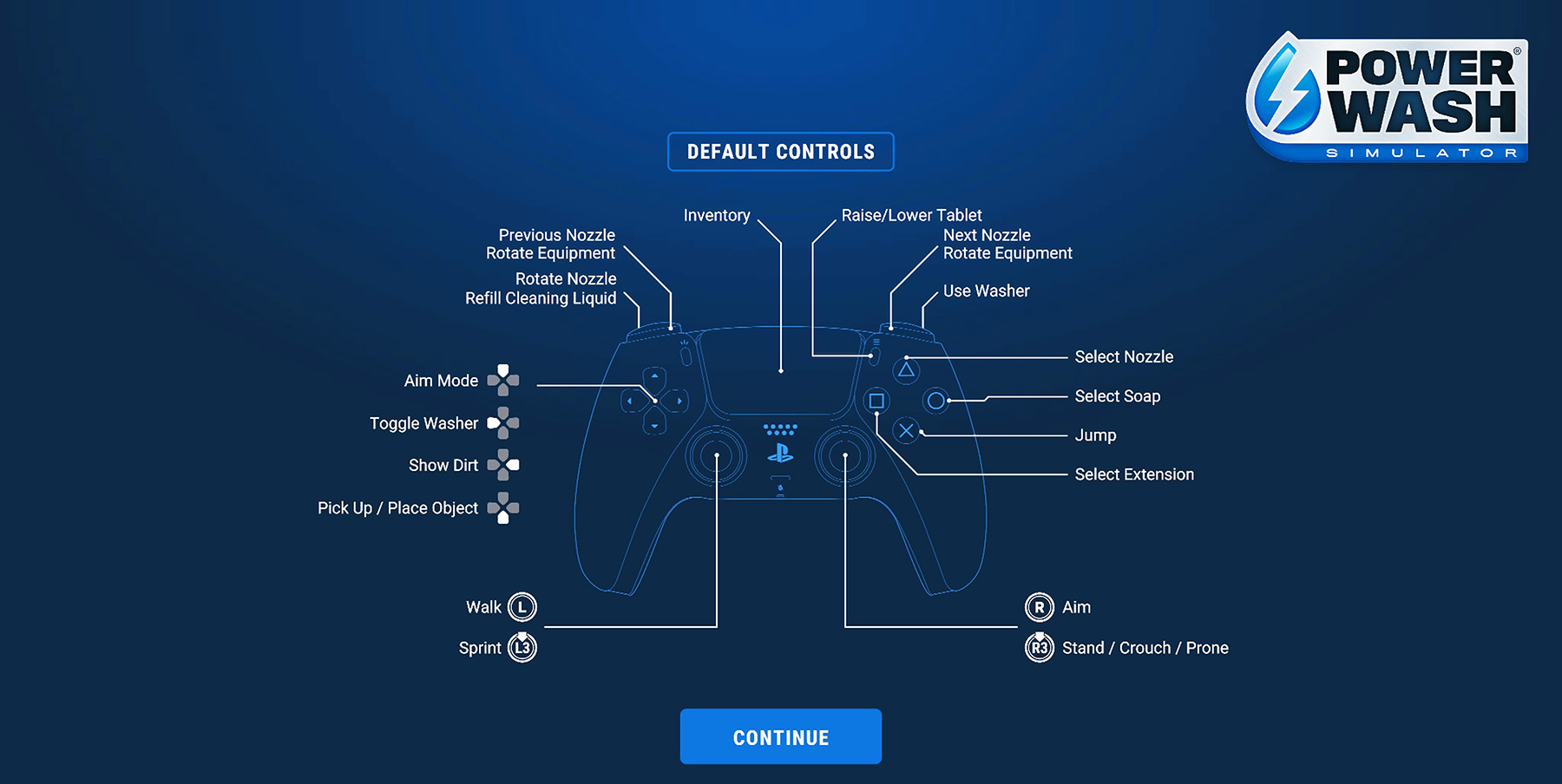
PowerWash Simulator Controls
| Action | PlayStation | Xbox / PC |
|---|---|---|
| Move Forward / Back / Left / Right | L | L |
| Jump | X | A |
| Sprint | L3 | L3 |
| Change Stance (Stand / Crouch / Prone) | R3 | R3 |
| Use Washer | R2 | RT |
| Toggle Washer | D-Pad | D-Pad |
| Aim Mode | D-Pad | D-Pad |
| Show Dirt | D-Pad | D-Pad |
| Select Nozzle | Triangle | Y |
| Select Soap | Circle | B |
| Select Extension | Square | X |
| Rotate Nozzle | L2 | LT |
| Next Nozzle | R1 | RB |
| Previous Nozzle / Motion Sensor | L1 | LB |
| Pick Up / Place Object | D-Pad | D-Pad |
| Rotate Equipment | Touchpad | View |
| Inventory | Touchpad | View |
| Raise / Lower Tablet | Touchpad | View |
| Pause Menu | Options | Menu |
Comments
No comments yet. Be the first to share your thoughts!