Let It Die control guide for PlayStation 4 and PlayStation Vita. Let it Die is a free-to-play game can be downloaded from PlayStation Network. Here is the complete controls guide for this game (PS4 gamepad controllers).
Let It Die is a free-to-play action role-playing game developed by Grasshopper Manufacture and published by GungHo Online Entertainment - Available for PlayStation 4 and Microsoft Windows.
Let It Die Controls - PS4
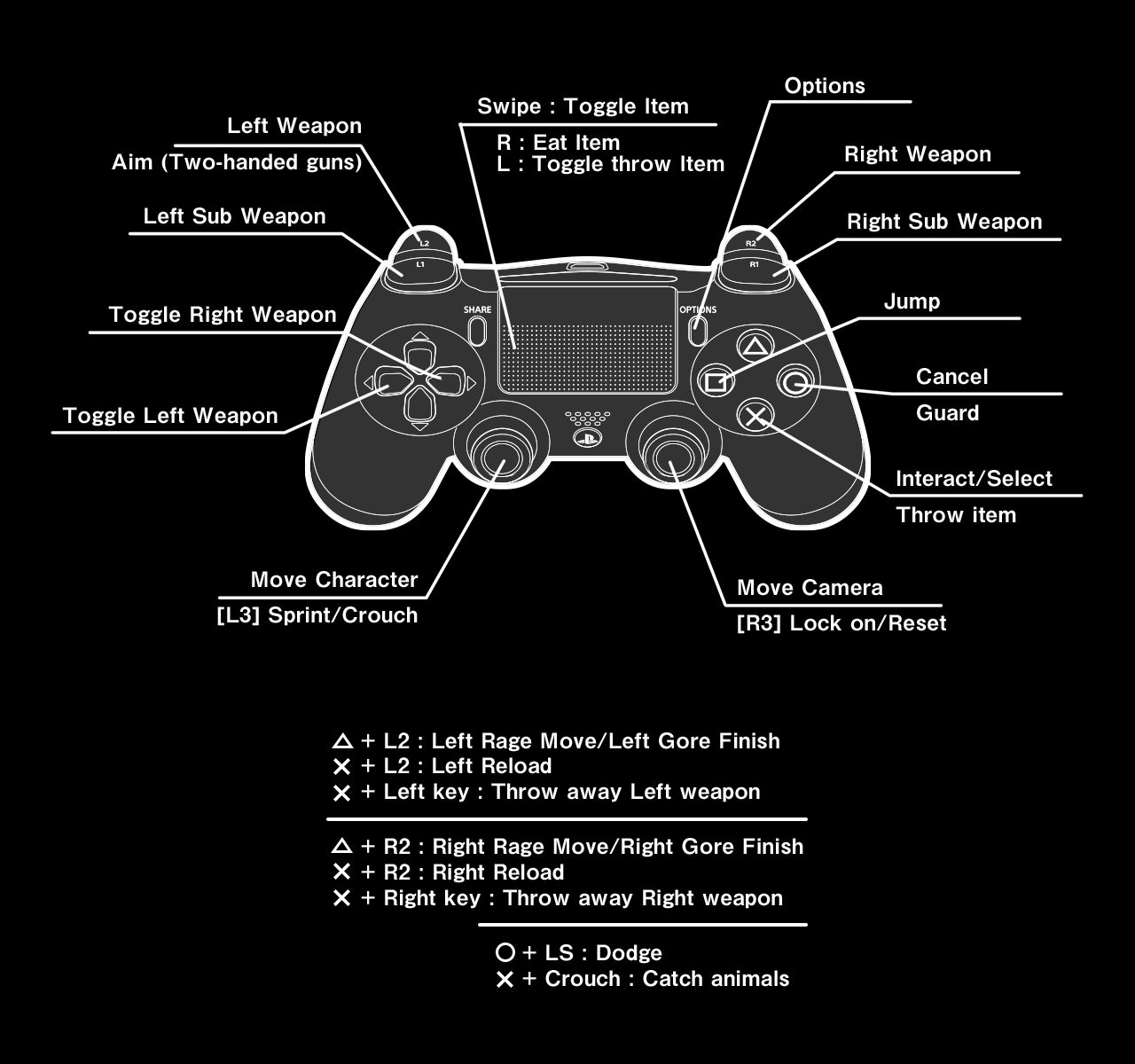
| Action | PS4 Button |
|---|---|
| Move | L |
| Sprint / Crouch | L3 |
| Move Camera | R |
| Lock on / Reset Camera | R3 |
| Left Sub Weapon | L1 |
| Left Weapon / Aim (Two handed-gun) | L2 |
| Right Sub Weapon | R1 |
| Right Weapon | R2 |
| Jump | ▢ |
| Interact / Select / Throw Item | X |
| Cancel / Guard | ◯ |
| Options Menu | Options |
| Toggle Items | Swipe (Track Pad) |
| Eat Item | Swipe on Right Side (Track Pad) |
| Toggle Throw Item | Swipe on Left Side (Track Pad) |
| Toggle Left Weapon | D-Pad Left |
| Toggle Right Weapon | D-Pad Right |
| Left Rage Move / Left Gore Finish | △ + L2 |
| Left Reload | X + L2 |
| Throw Away Left Weapon | X + D-Pad Left |
| Right Rage Move / Right Gore Finish | △ + R2 |
| Right Reload | X + R2 |
| Throw Away Right Weapon | X + D-Pad Right |
| Dodge | ◯ + L |
| Catch Animals | L3 + X |
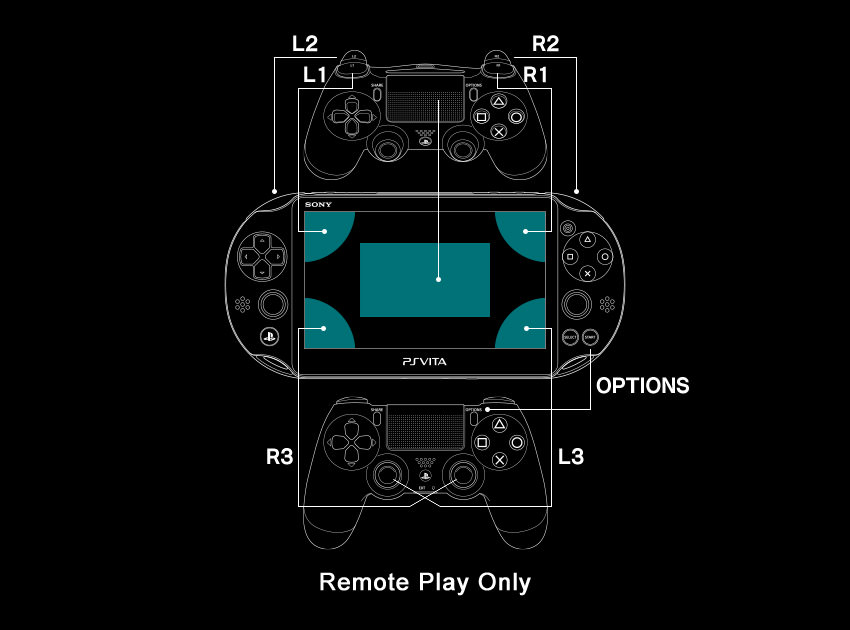
Let It Die Controls - PSVita
Comments
No comments yet. Be the first to share your thoughts!